Catch a little of today.
Record in the app or choose a photo or video with Android’s private picker.
Your everyday. Beautifully replayed.
The places. The people. The in-between. Keep a little of today. Watch it become your story.
Android preview · Made for your everyday
Try a month of memories
Explore 30 fictional days. See how the smallest moments become a story.
 01 JUN · EXAMPLE MEMORY
The first coffee, before the world wakes up.
1 of 30 · A photo story, separate from your own memories. Nothing is uploaded or saved.
Your camera roll stores files.
ClipMyDay reveals the story.Capture. Keep. Come back to it.An effortless ritual
ClipMyDay does the organising so you can stay present.
Record in the app or choose a photo or video with Android’s private picker.
Trim, crop, fit and keep the original sound—or mute it. You stay in control.
Create a month, year, birthday-to-birthday or custom movie whenever you want.
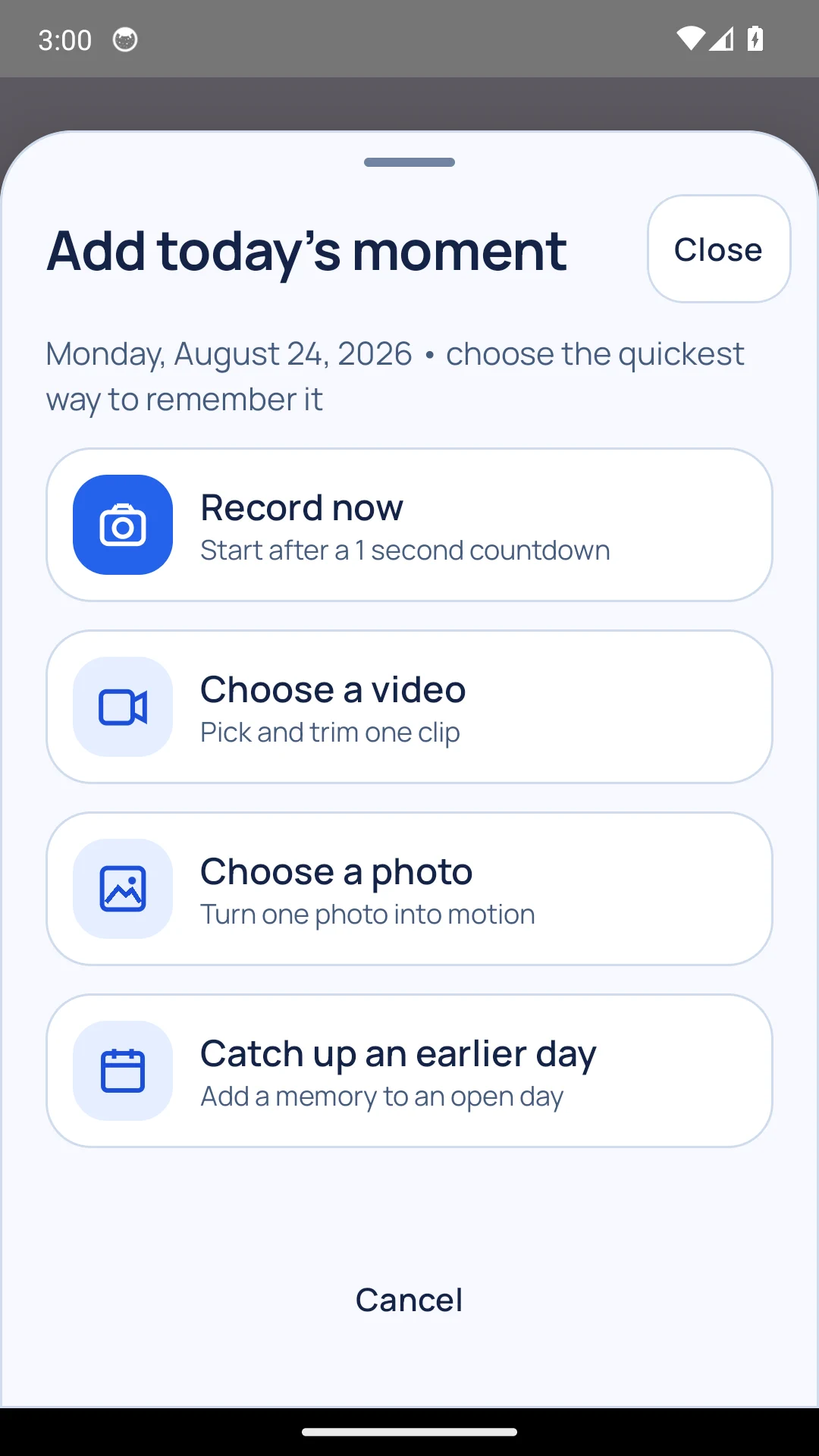
Captured from the working Android preview
The reason to return
The morning coffee. A first step. The view from the train. A quiet birthday candle. Each moment feels small—until ClipMyDay plays them back as your month, year or favorite chapter.
Private by design
No required account. No advertising SDK. No broad gallery access. ClipMyDay asks for a specific photo or video only when you choose it.
Read the plain-language privacy guide →Your gallery photo or video remains untouched.
ClipMyDay uses an app copy for editing and movies.
Share a movie or save an archive only when you decide.
Designed around real life
Catch up from media you deliberately select. No broken streak, no broad library scan.
Your moments already live in date order. Choose a range, a style and an export quality.
Create a readable ZIP archive with checksums. Archives are unencrypted: keep them somewhere private, and back up before uninstalling.
Add a six-digit app lock. ClipMyDay stores a salted verification hash, never your PIN.
Clear answers
Your gallery original stays exactly where it was. ClipMyDay creates a private working copy inside the app so trimming or deleting a moment never edits the original.
No. The Android app works without an account and keeps its working library on your device.
Nothing breaks and there is no streak punishment. Open Catch up and deliberately choose media for an open day.
Create a portable archive from Settings. It contains readable metadata, your media and checksums that ClipMyDay verifies before restoring.
A tested Android preview exists, but public Google Play publication is not yet claimed. The help centre explains the current preview and support route.
Start with today
Understand the complete workflow first, then contact the team if the preview fits your life.
Read the complete guideRequest preview access
Send the team a note from the address you control. This website does not collect or store it.
Your mail app opens with a short, editable message. Nothing is submitted automatically. Privacy details.